Demo case · Real estate operations
← All workReal Estate Management
Properties, tenants, contracts and finances in one workflow, helping rental teams track their portfolio and act on what needs attention.
Web · desktop and mobile
Overview · The challenge
One portfolio. Many relationships.
For rental managers, a unit is more than a standalone record: it involves people, contracts, receipts and services. The challenge is to keep those relationships understandable and move from an overview to a concrete action. The application brings these areas into a shared navigation, with search, filters and statuses to guide everyday work.
Ease of use
Easy to understand. Clear next steps.
The project was conceived for people with different levels of familiarity with technology. Its aim is to help property managers understand where they are, find what they need and carry out tasks confidently, without requiring advanced experience with digital tools.
Familiar wording and actions
Areas such as Properties, Tenants and Payments use everyday operational language. Recognisable actions, statuses and messages help guide the next step.
Organised information
Forms grouped by topic and predictable navigation give each task context. Search and filters help people consult records without presenting everything at once.
Focus on the task
Animation and decorative elements are used sparingly. The intention is to reduce distractions and keep attention on records, outstanding tasks and everyday decisions.
This ease of use is a documented design intention; no documented user studies establish usability improvements.
The solution
From availability to rental details.
The portfolio organises units, features and occupancy status. Search and filters help locate a property; its detail view brings together the information needed to continue the enquiry. In the presentation version, linked records can be opened directly while keeping the enquiry in context.
- Browse the portfolio
- Filter units
- Open the property
- Follow related records


Everyday operations
Clear priorities. Visible next steps.
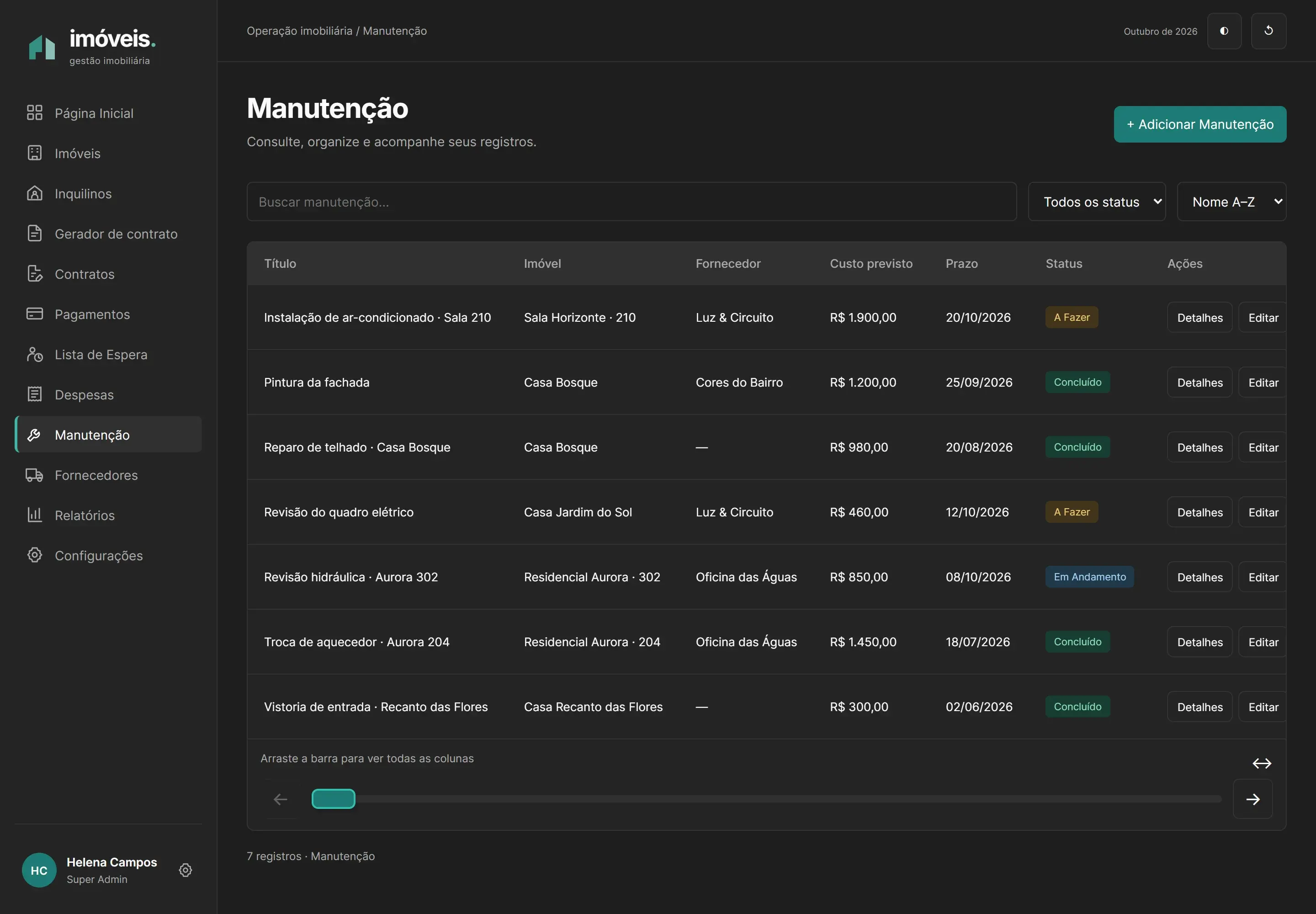
The dashboard helps identify what needs attention. Payments record amounts and status; expenses connect costs to the portfolio; maintenance links requests, units and suppliers. Updating a receipt is reflected in the presentation version’s indicators.
- Identify an outstanding item
- Open the payment
- Update its status
- Review the dashboard
Portfolio and tenants
Records, search and statuses for finding units and the people responsible for each rental.
Receipts and expenses
Amounts, dates and rental periods provide context for financial tracking; the presentation version does not process charges.
Maintenance and suppliers
Requests with status, estimated cost and service provider to track each property’s operations.
Ending a rental
The demonstrated flow closes contracts and releases the unit when no other active tenant remains, while preserving receivables.

Desktop interface / swipe to inspect
Contracts and reports
Prepare. Review. Consult.
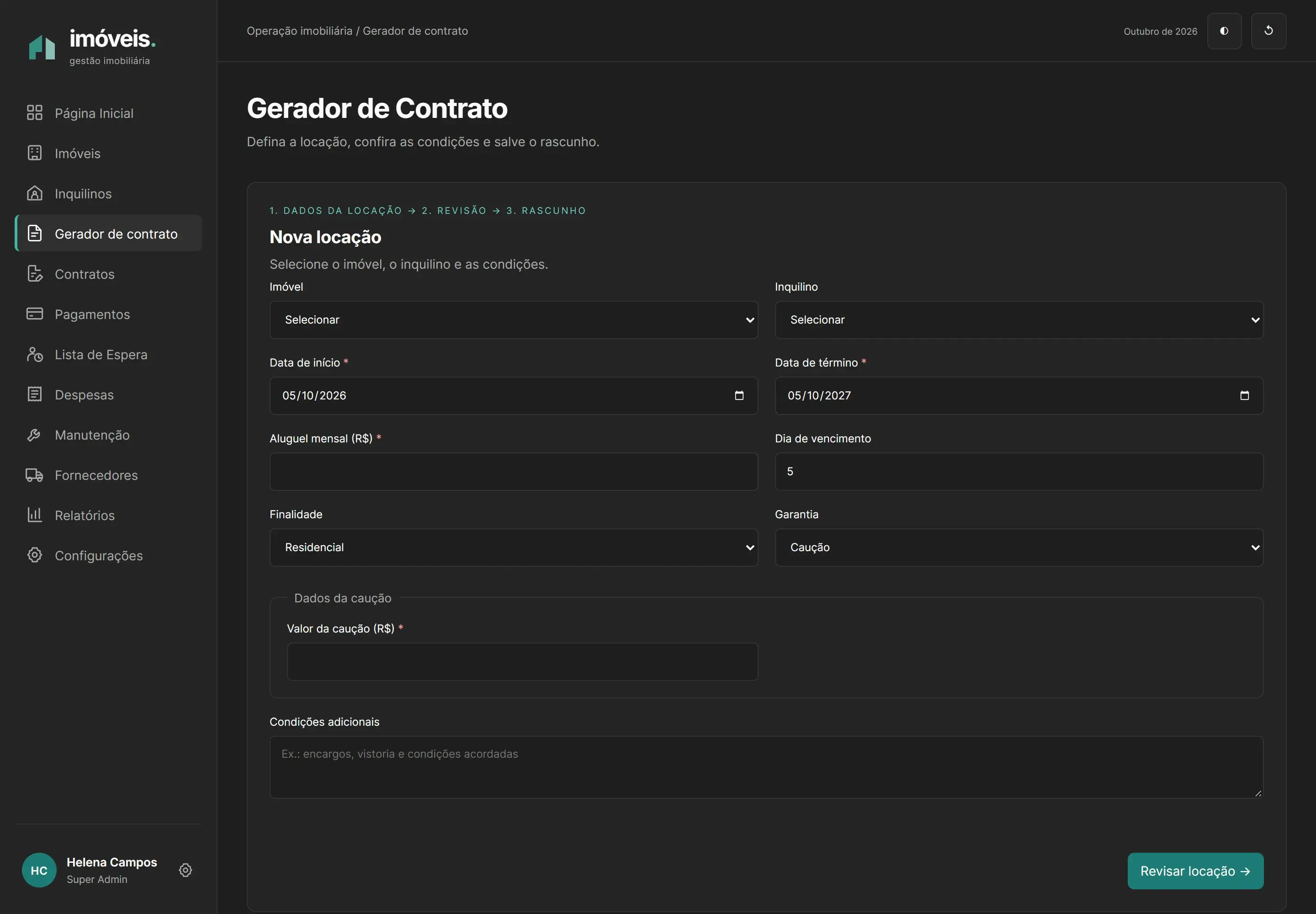
Rental preparation brings together the property, tenant, term, rent and guarantee before review. Contracts organise records; reports consolidate finances, the portfolio, rentals and maintenance. Both turn individual records into useful operational information.
- Select the parties
- Set the terms
- Review
- Save a draft
Desktop interface / swipe to inspect
Desktop interface / swipe to inspect
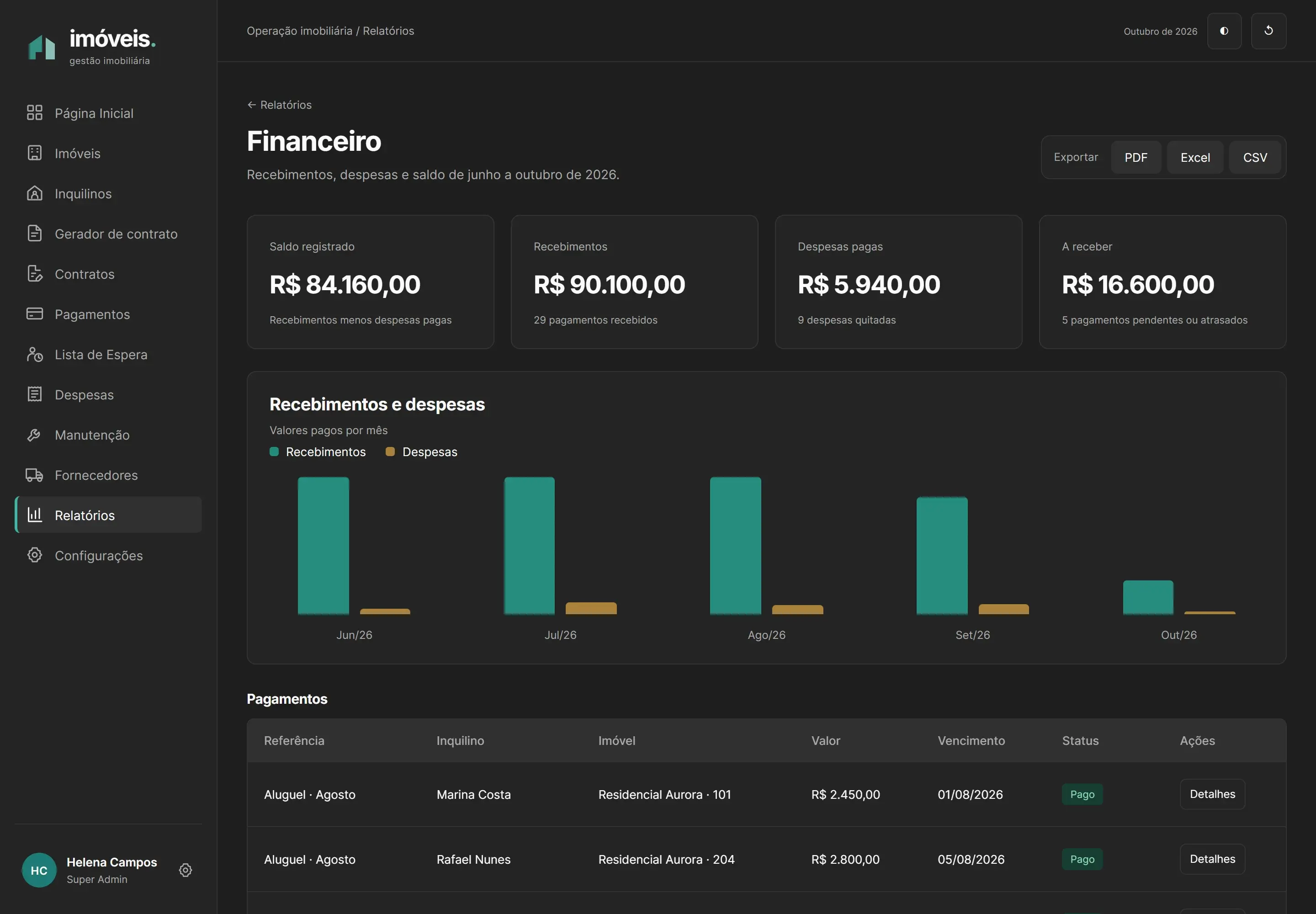
The demo prepares only a summary and draft; it does not formalise a contract or generate a PDF. Exporting its four reports is demonstrative, with no file download.
Mobile experience
Less information at once. Context stays within reach.
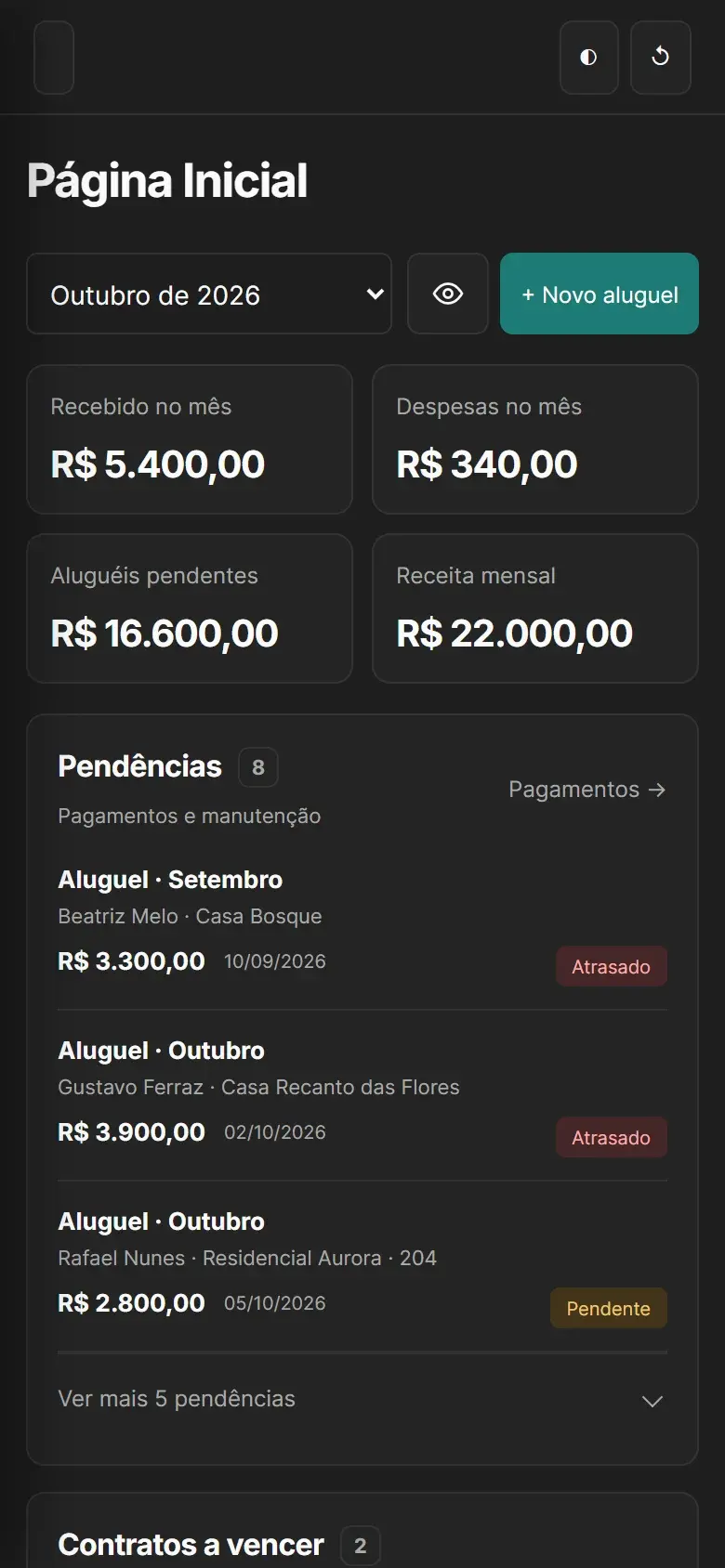
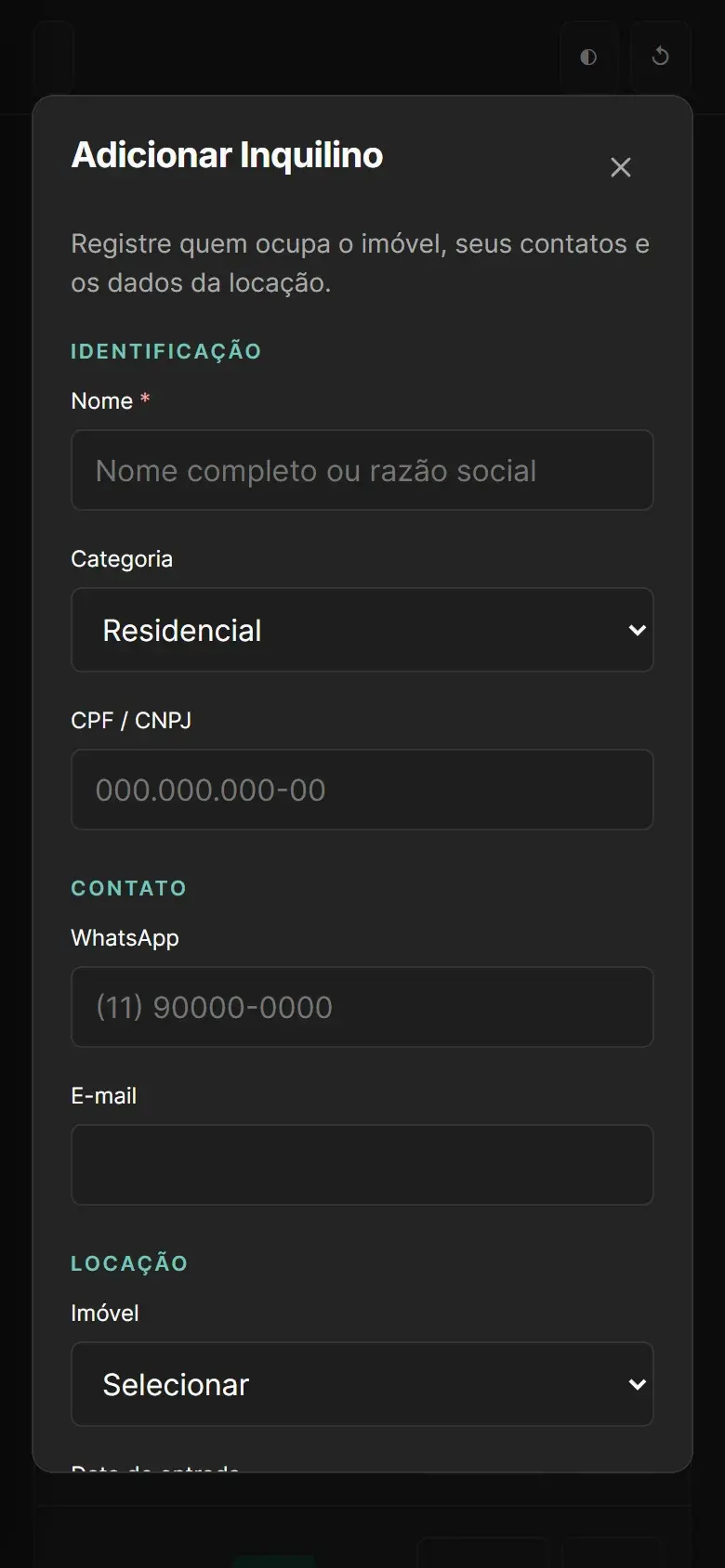
The interface is designed around clear tasks and predictable navigation. On mobile, the dashboard prioritises overdue items and lets users expand the remaining tasks; forms use single-column sections. Tables keep scrolling inside their own viewing area. The captures show these choices in the demo.
Possibilities · future development
From management to reminders and automation.
Beyond organising the portfolio, related records provide a foundation for extending rental management: reminding people of due dates, supporting enquiries and preparing information for review. These are possible developments that require implementation and validation; they are not available in the demo.
Upcoming rent reminders on WhatsApp
Send a reminder before and on the due date, with the amount and payment method. A possible way to keep tenants informed and support the manager’s follow-up.
Overdue rent follow-up
Organise a sequence of WhatsApp notices after the due date, using the contract’s late-payment terms and handing the conversation to a person when needed.
Rent adjustments and expiring contracts
Prepare adjustments using the recorded index and notify the manager and tenant in advance. Contract expiry reminders could support renewal discussions.
Payment reconciliation and review
With a future banking integration, reconcile Pix or boleto payments to update receipt records and send receipts. Reading payment confirmations sent through WhatsApp could also suggest an update for human review.
Assisted records and contracts
Use document reading to suggest tenant details, import information from a PDF contract and prepare or review a draft. Human checking remains necessary before saving data or formalising the rental.
Tenant support and maintenance
Support rent enquiries and requests for payment copies through WhatsApp. A description with a photo could help open a maintenance request and suggest a category, urgency and supplier for the team to assess.
Available property, next prospect
Notify the waiting list when a unit matches a prospect’s preferences and budget. Recorded property features could also provide the basis for preparing listing copy.
Summaries, enquiries and alerts
Prepare monthly statements for owners and weekly outstanding-task summaries for managers. Enquiries such as “who is overdue?” and alerts for unusual expenses or prolonged vacancies are further possibilities for supporting analysis.
Messaging requires an official channel and permission to contact recipients. Data extracted through OCR or AI needs human review; these automations must not decide whether to accept or reject a tenant. Team operations and organisation-level isolation are also possible developments.
Demo architecture
Related data. Clear responsibilities.
The demo keeps properties, people, contracts and financial records related so their workflows can be explored together. HTML, CSS and JavaScript make up the interface; a records layer organises relationships and browser state. Node.js serves the files for local execution.
- Interface
- Related records
- Browser state
Connected records
A shared layer organises relationships across modules, record details and indicator updates. State stays in the browser, with local persistence and an option to restore the initial records.
Demonstration environment
The demo uses a fictional identity and records to explore its workflows. An assistant, OCR, payment collection and message sending are presented only as possible future developments.
Production preparation · proposal
Protect people, records and documents.
An evolution towards production use would require authentication, access roles and permission checks for every operation, together with document protection and data recovery. These are proposed requirements for a future deployment.
Access by responsibility
Validate identity and authorisation on the server and in the database so each person accesses only permitted records, with isolation tests between accounts.
Private files and recovery
Plan for private storage, authorised document access, defined retention and backups with tested restoration.
Local measurement · 5 October 2026
Evidence in context.
The demo dashboard was measured with Lighthouse in mobile navigation mode through Chrome DevTools. The report covers that screen and local environment; it does not represent all workflows or a production deployment.
- Accessibility / 100
- 100
- Best Practices / 100
- 100
- SEO / 100
- 91
The tool did not measure a Performance score. A separate trace with no network throttling and CPU 1× observed LCP of 98 ms, TTFB of 2 ms and CLS 0. INP, TBT and field data are unavailable. These values do not estimate performance on real mobile networks.
Stack
HTML · CSS · JavaScript · Node.js