Independent product · published on both stores
← All workFIG26
An app to organise the stickers in your 2026 World Cup album. See what you have, what is missing and what you can swap — on Android and iPhone.
Bruno Rausch · product, development and publishing
Android · iPhone · companion web app
The problem
Do I already have this one?
A stack of stickers in your hand. Almost a thousand items to complete the 2026 World Cup album. At a swap, looking up each code on paper or in a spreadsheet interrupts the conversation. FIG26 was created to organise this collection and help answer that question.
- stickers in the catalogue
- 994
- app languages
- 3
- stores with a published app
- 2
The core interaction
Point. Review. Add.
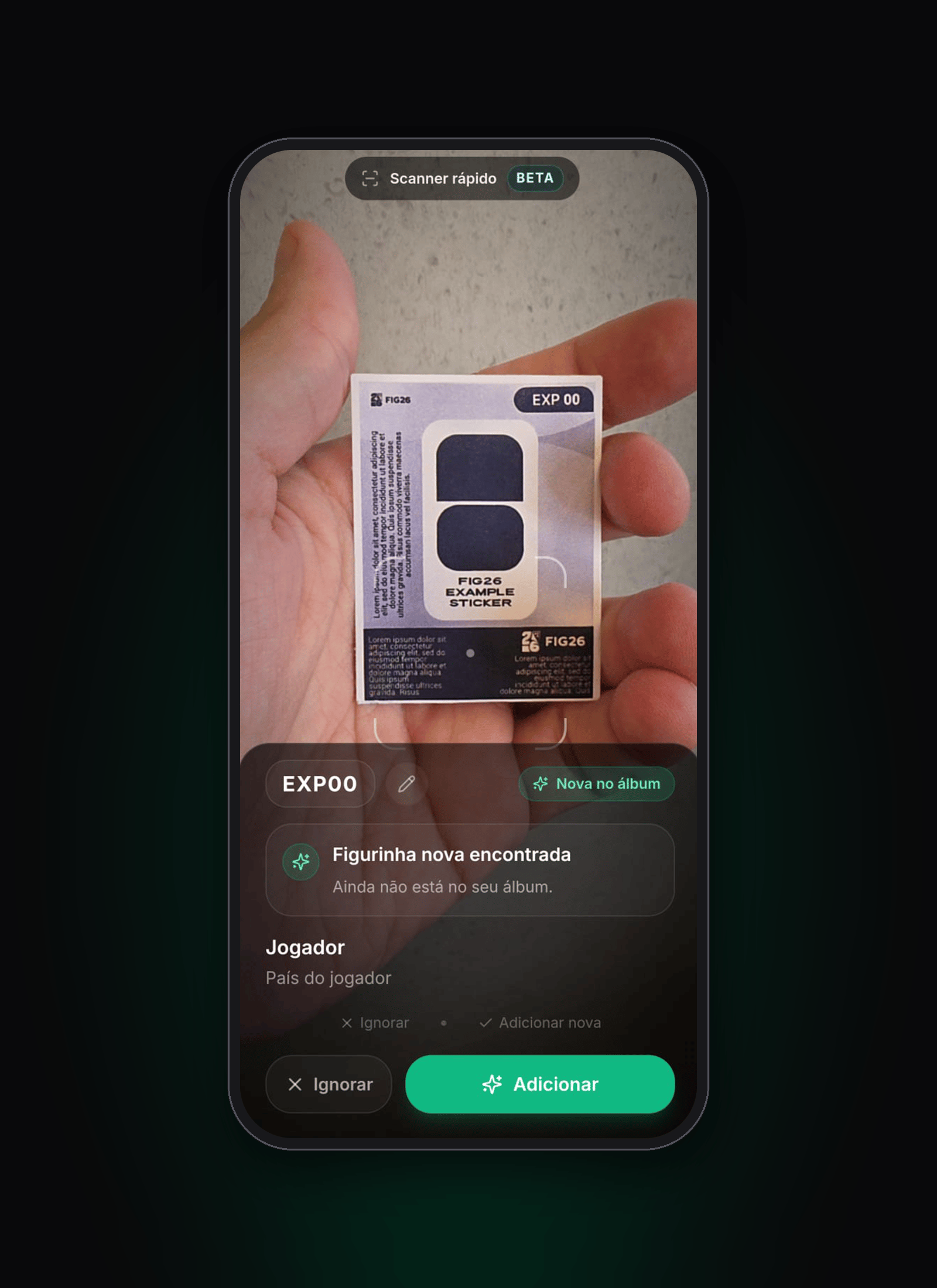
On Android, the camera reads the printed code and shows whether the sticker is new, a duplicate or already in the album. The person checks the result before adding it. On iPhone, recognition works from a photo, also with review.
- Point at the code
- Review or correct
- Confirm in the album
The product in use
Collected. Missing. Ready to swap.
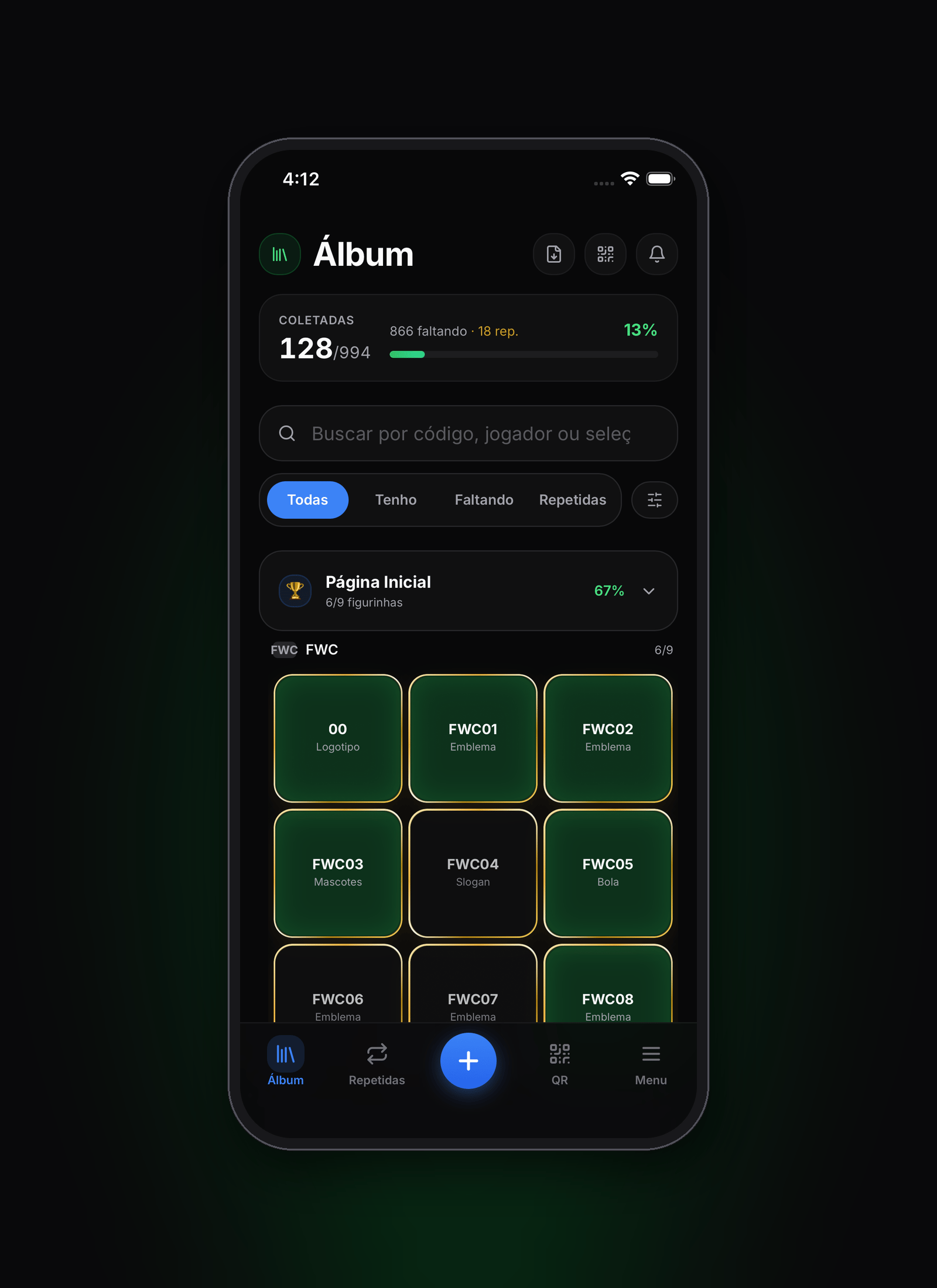
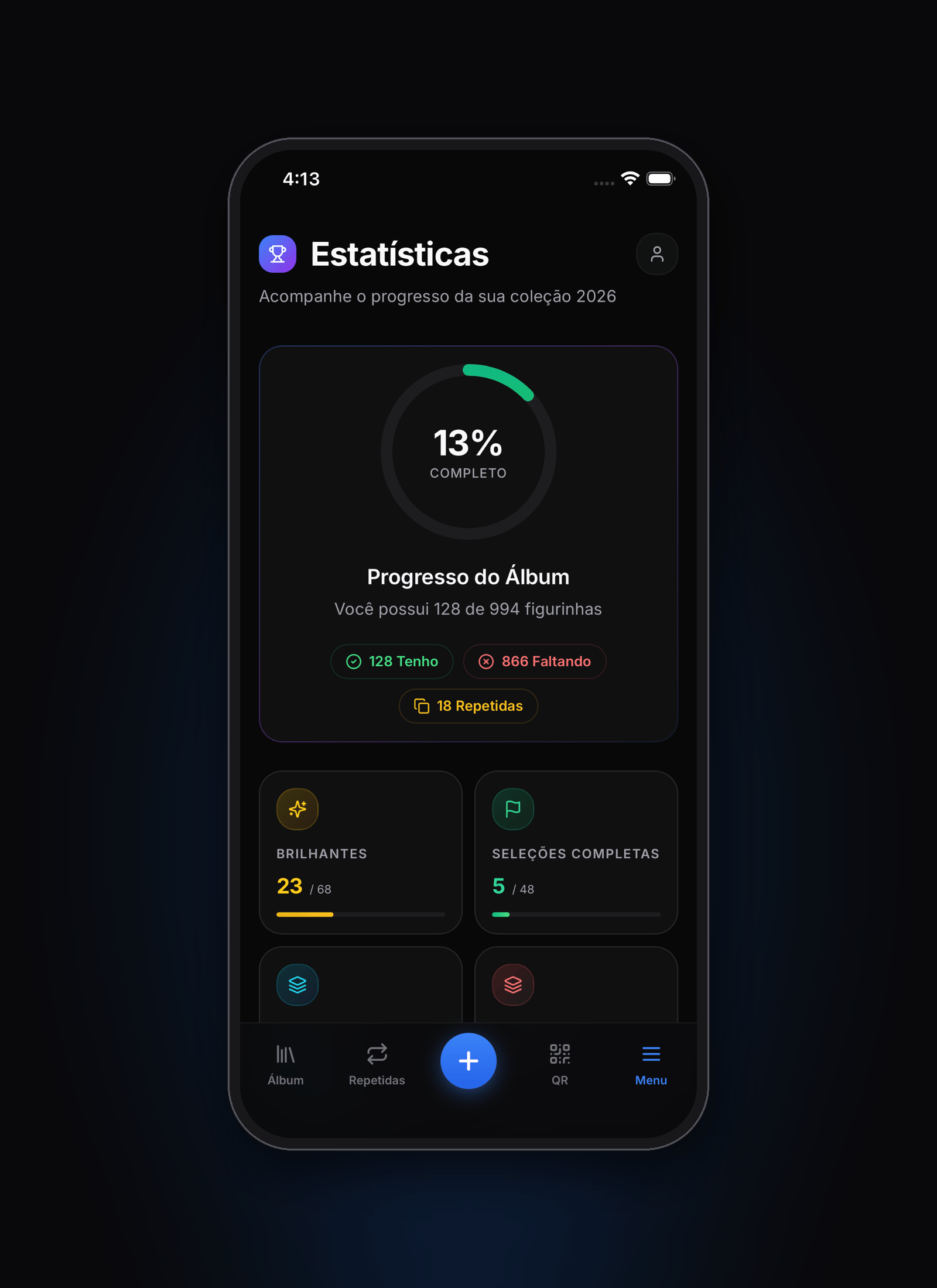
Search and filters make the collection easy to check. The dashboard brings together progress, duplicates and completed teams. For swaps, the app compares collections by QR code or with friends and exports lists to share.
Paper and digital
Pick up where you left off.
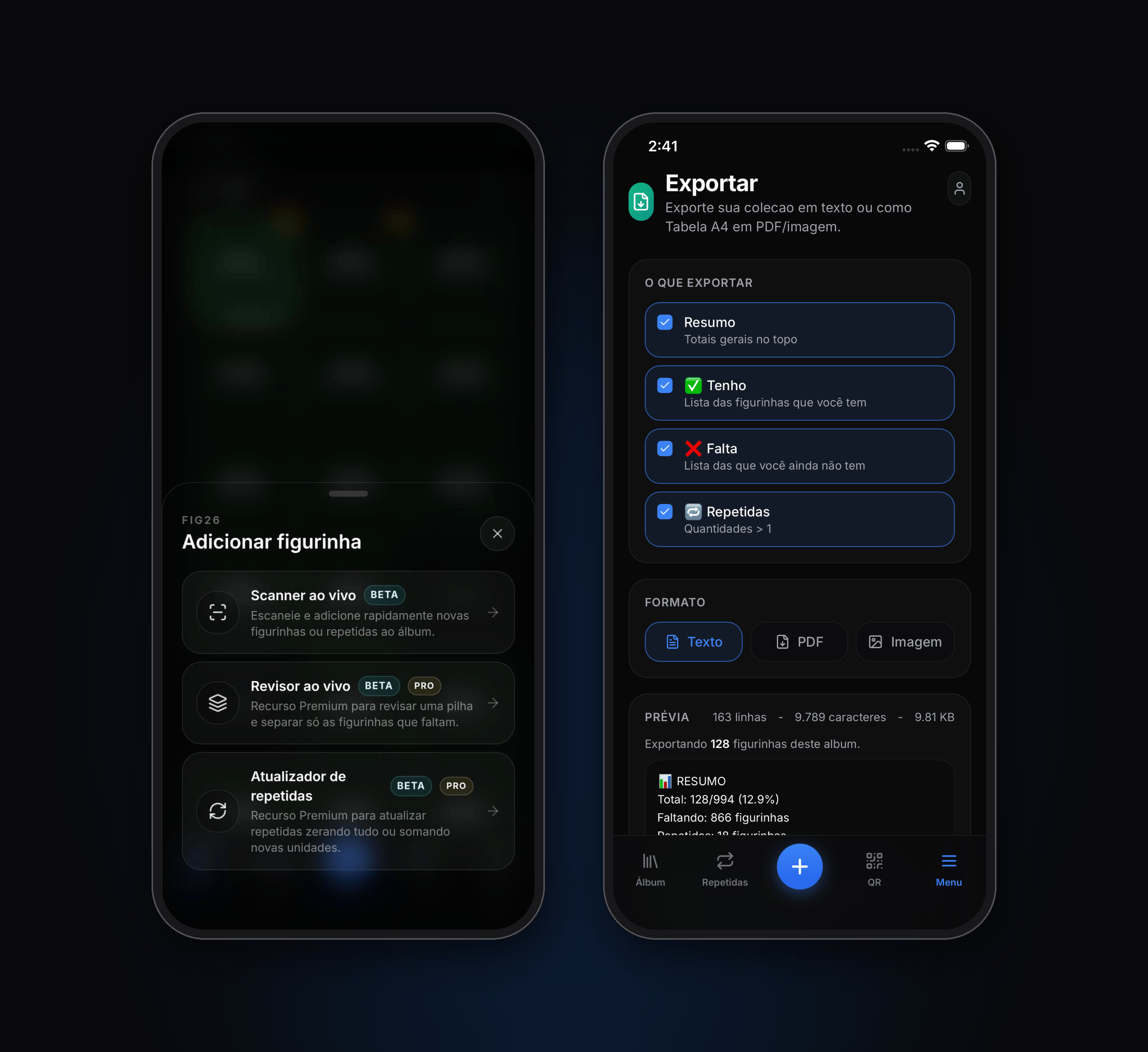
People who started in another app or spreadsheet can import their progress. Those who prefer paper can print an A4 sheet, mark it by hand and photograph it to bring the marks into the album. Both paths include review before saving.
- Export the sheet
- Mark on paper
- Photograph it
- Review and add
Product decisions
Your album stays with you.
On-device storage is the foundation of the collection. Cloud storage was built as an optional layer of the seasonal PRO pass. This separation keeps the local album accessible after the pass ends.
An account is not a backup
The login screen explains that signing in does not activate cloud storage. People know where their collection is saved.
Recognition asks for confirmation
The scanner, imports and printed sheets let people review results before changing the collection.
A pass with a clear end date
The product follows a season. The PRO pass was presented with validity through September 2026.
How it was built
One interface. Each device’s capabilities.
Next.js, React and TypeScript power the shared interface. Capacitor brings it to Android and iPhone, with native code for camera and purchases. The experience adapts features and payments to the channel it runs in.
- Album change
- Saved on device
- Sync queue
- Optional cloud
Local data first
IndexedDB stores the collection. In the cloud layer, a queue sends changes when connected and receives updates from other devices through Supabase Realtime.
Recognition where it belongs
CameraX and ML Kit read codes live on Android without sending images. Photos use server-side AI recognition; printed sheets use OpenCV on the device.
Channel-specific purchases
Google Play Billing, Apple in-app purchases and Mercado Pago serve their respective channels. Feature access depends on server-side validation.
From application to stores
Supabase brings together authentication, the database and server functions. Vercel hosts the web application; GitHub Actions builds the store packages.
Simplified flow of the cloud layer developed for the 2026 season.
Delivery
From a personal collection to two app stores.
An independent product by Bruno Rausch: product work, web and native development, data, payments and publishing. The history documents roughly six weeks of development between May and June 2026. The result is a published Android and iPhone app, with a companion web channel.
Store listings checked on 2 October 2026. The defined seasonal cycle ended on 30 September 2026; continued cloud availability after that date is unconfirmed. The live scanner and camera-based swap tools are BETA on Android; iPhone uses photos.